|
Datenblatt-Suchmaschine für elektronische Bauteile |
|
|
Datenblatt-Suchmaschine für elektronische Bauteile |
|
USB4604 Datenblatt(PDF) 30 Page - Microchip Technology |
|
|
|||||||||||||||||||||||||||||
USB4604 Datenblatt(HTML) 30 Page - Microchip Technology |
|
|
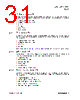
30 / 62 page  USB 2.0 HSIC Hi-Speed 4-Port Hub Controller Datasheet DS00001716A-page 30 2014 Microchip Technology Inc. Chapter 6 Device Configuration The device supports a large number of features (some mutually exclusive), and must be configured in order to correctly function when attached to a USB host controller. The hub can be configured either internally or externally depending on the implemented interface. Microchip provides a comprehensive software programming tool, Pro-Touch, for configuring the USB4604 functions, registers and OTP memory. All configuration is to be performed via the Pro-Touch programming tool. For additional information on the Pro-Touch programming tool, contact your local Microchip sales representative. 6.1 Configuration Method Selection The hub will interface to external memory depending on the configuration of the device pins associated with each interface type. The device will first check whether an external SPI ROM is present. If present, the device will operate entirely from the external ROM. When an external SPI ROM is not present, the device will check whether the SMBus is configured. When the SMBus is enabled, it can be used to configure the internal device registers via the XDATA address space, or to program the internal OTP memory. If no external options are detected, the device will operate using the internal default and configuration strap settings. The order in which device configuration is attempted is summarized below: 1. SPI (Reading the configuration from an SPI ROM) 2. SMBus (either writing the configuration registers in the XDATA address space, or to OTP) 3. Internal default settings (with or without configuration strap over-rides) Note: Refer to Chapter 7, "Device Interfaces," on page 34 for detailed information on each device configuration interface. 6.2 Customer Accessible Functions The following USB or SMBus accessible functions are available to the customer via the Pro-Touch Programming Tool. Note: For additional programming details, refer to the Pro-Touch Programming Tool User Manual. 6.2.1 USB Accessible Functions 6.2.1.1 VSM commands over USB By default, Vendor Specific Messaging (VSM) commands to the hub are enabled. The supported commands are: Enable Embedded Controller Disable Embedded Controller Enable Special Resume Disable Special Resume Reset Hub |
|
Link URL |
| War ALLDATASHEET hilfreich? [ DONATE ] |
Über Alldatasheet | Werbung | Kontakt | Privatsphäre und Datenschutz | Link zum Datenblatt | Linktausch | Hersteller All Rights Reserved©Alldatasheet.com |
| Russian : Alldatasheetru.com | Korean : Alldatasheet.co.kr | Spanish : Alldatasheet.es | French : Alldatasheet.fr | Italian : Alldatasheetit.com Portuguese : Alldatasheetpt.com | Polish : Alldatasheet.pl | Vietnamese : Alldatasheet.vn Indian : Alldatasheet.in | Mexican : Alldatasheet.com.mx | British : Alldatasheet.co.uk | New Zealand : Alldatasheet.co.nz |
|
Family Site : ic2ic.com |
icmetro.com |
 German ▼
 English
 Chinese
 German
 Japanese
 Russian
 Korean
 Spanish
 French
 Italian
 Portuguese
 Polish
 Vietnamese
 Indian
 Mexican
 British
 New Zealand