|
Datenblatt-Suchmaschine für elektronische Bauteile |
|
|
Datenblatt-Suchmaschine für elektronische Bauteile |
|
E39-R1 Datenblatt(PDF) 22 Page - Omron Electronics LLC |
|
|
|||||||||||||||||||||||||||||
E39-R1 Datenblatt(HTML) 22 Page - Omron Electronics LLC |
|
|
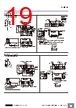
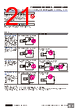
22 / 27 page  Photoelectric Sensors Technical Guide ● Design Power Reset Time The Sensor will be ready to detect within approximately 100 ms after the power is turned ON. If the Sensor and the load are connected to separate power supplies, turn ON the Sensor power before turning ON the load power. Any exceptions to this rule are indicated in Safety Precautions in individual product information. Turning OFF Power An output pulse may be generated when the power is turned OFF. It is recommended that the load or load line power be turned OFF before the Sensor power is turned OFF. Power Supply Types An unsmoothed full-wave or half-wave rectifying power supply cannot be used. Mutual Interference Mutual interference is a state where an output is unstable because the Sensors are affected by light from the adjacent Sensors. The following measures can be taken to avoid mutual interference. Precautions for Correct Use Counter- measure Concept Through-beam Sensors Reflective Sensors 1 Use a Sensor with the interference prevention function. If Sensors are mounted in close proximity, use Sensors with the interference prevention function. 10 or fewer Sensors: E3X-DA @-S, E3X-MDA, E3C-LDA Fiber Sensors Performance, however, will depend on conditions. Refer to pages E3X-DA-S/E3X-MDA and E3C-LDA. 5 or fewer Sensors: E3X-NA Fiber Sensors 2 or fewer Sensors: E3T, E3Z, E3ZM, E3ZM-C, E3S-C, E3G-L1/L3, or E3S-C Built-in Amplifier Photoelectric Sensors (except Through-beam Sensors) E3C Photoelectric Sensor with separate amplifier 2 Install an inference prevention filter. A mutual interference prevention polarizing filter can be installed on only the E3Z-TA to allow close-proximity mounting of up to 2 Sensors. Mutual Interference Prevention Polarizing Filter: E39-E11 --- 3 Separate Sensors to distance where interference does not occur. Check the parallel movement distance range in the catalog, verify the set distance between adjacent Sensors, and install the Sensors accordingly at a distance at least 1.5 times the parallel movement distance range. If the workpieces move from far to near, chattering may occur in the vicinity of the operating point. For this type of application, separate the Sensors by at least 1.5 times the operating range. 4 Alternate Emitters and Receivers. Close mounting of Sensors is possible by alternating the Emitters with the Receivers in a zigzag fashion (up to two Sensors). However, if the workpieces are close to the Photoelectric Sensors, light from the adjacent Emitter may be received and cause the Sensor to change to the incident light state. --- 5 Offset the optical axes. If there is a possibility that light from another Sensor may enter the Receiver, change the position of the Emitter and Receiver, place a light barrier between the Sensors, or take other measures to prevent the light from entering the Receiver. (Light may enter even if the Sensors are separated by more than the sensing distance.) If Sensors are mounted in opposite each other, slant the Sensors as shown in the following diagram. (This is because the Sensors may affect each other and cause output chattering even if separated by more than the Sensor sensing distance.) 6 Adjust the sensitivity. Lowering the sensitivity will generally help. L 1.5 × L Sensor Sensor Workpiece Workpiece Emitter Receiver Receiver Emitter Workpiece Sensor Sensor θθ http://www.ia.omron.com/ C-2 (c)Copyright OMRON Corporation 2007 All Rights Reserved. |
|
Link URL |
| War ALLDATASHEET hilfreich? [ DONATE ] |
Über Alldatasheet | Werbung | Kontakt | Privatsphäre und Datenschutz | Link zum Datenblatt | Linktausch | Hersteller All Rights Reserved©Alldatasheet.com |
| Russian : Alldatasheetru.com | Korean : Alldatasheet.co.kr | Spanish : Alldatasheet.es | French : Alldatasheet.fr | Italian : Alldatasheetit.com Portuguese : Alldatasheetpt.com | Polish : Alldatasheet.pl | Vietnamese : Alldatasheet.vn Indian : Alldatasheet.in | Mexican : Alldatasheet.com.mx | British : Alldatasheet.co.uk | New Zealand : Alldatasheet.co.nz |
|
Family Site : ic2ic.com |
icmetro.com |
 German ▼
 English
 Chinese
 German
 Japanese
 Russian
 Korean
 Spanish
 French
 Italian
 Portuguese
 Polish
 Vietnamese
 Indian
 Mexican
 British
 New Zealand