|
Datenblatt-Suchmaschine für elektronische Bauteile |
|
|
Datenblatt-Suchmaschine für elektronische Bauteile |
|
N5393D Datenblatt(PDF) 6 Page - Keysight Technologies |
|
|
|||||||||||||||||||||||||||||
N5393D Datenblatt(HTML) 6 Page - Keysight Technologies |
|
|
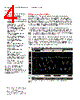
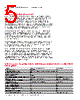
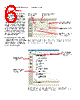
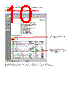
6 / 25 page  06 | Keysight | N5393D PCI Express® 3.0 (Gen3) Software for Infiniium Oscilloscopes - Data Sheet Easy Test Definition Figure 2. The software allows you to easily specify the test standard you want to use to test the compliance of your device. This makes test setup easy as only the appropriate tests for the test point you pick are shown on later test selection pages. Figure 3. The Keysight automated test engine guides you quickly through selecting tests, configuring tests, setting up the connection, running the tests, and viewing the results. Individual tests or groups of tests are easily selected with a mouse click. The PCI Express electrical test software extends the ease-of-use advantages of Keysight’s Infiniium oscilloscopes to testing PCI Express designs. The Keysight automated test engine walks you quickly through the steps required to define the tests, set up the tests, perform the tests, and view the test results. You can select a category of tests all at once, or specify individual tests. You can save tests and configurations as project files and recall them later for quick testing and review of previous test results. Straightforward menus let you perform tests with a minimum of mouse clicks. The software allows you to easily specify the test standard you want to use to test the compliance of your device. This makes test setup easy as only the appropriate tests for the test point you pick are shown on later test selection pages. Test with SSC enabled or with a clean clock (for compliance) Choose half swing if testing low power devices Test your reference clock for phase jitter to help ensure clean high data rate transmissions De-embed test fixtures with the optional InfiniiSim waveform transformation toolset Pick the standard you want to test against Choose the test point or specific signal you want to test Easy to follow task flow for configuring and running tests Select one test or a group of tests with a single mouse click |
|
|
Link URL |
| War ALLDATASHEET hilfreich? [ DONATE ] |
Über Alldatasheet | Werbung | Kontakt | Privatsphäre und Datenschutz | Link zum Datenblatt | Linktausch | Hersteller All Rights Reserved©Alldatasheet.com |
| Russian : Alldatasheetru.com | Korean : Alldatasheet.co.kr | Spanish : Alldatasheet.es | French : Alldatasheet.fr | Italian : Alldatasheetit.com Portuguese : Alldatasheetpt.com | Polish : Alldatasheet.pl | Vietnamese : Alldatasheet.vn Indian : Alldatasheet.in | Mexican : Alldatasheet.com.mx | British : Alldatasheet.co.uk | New Zealand : Alldatasheet.co.nz |
|
Family Site : ic2ic.com |
icmetro.com |
 German ▼
 English
 Chinese
 German
 Japanese
 Russian
 Korean
 Spanish
 French
 Italian
 Portuguese
 Polish
 Vietnamese
 Indian
 Mexican
 British
 New Zealand